Importing customers
Bring your existing customers over from a spreadsheet or paper cards in minutes. Nothing is saved until you check it.
Step by step
-
1
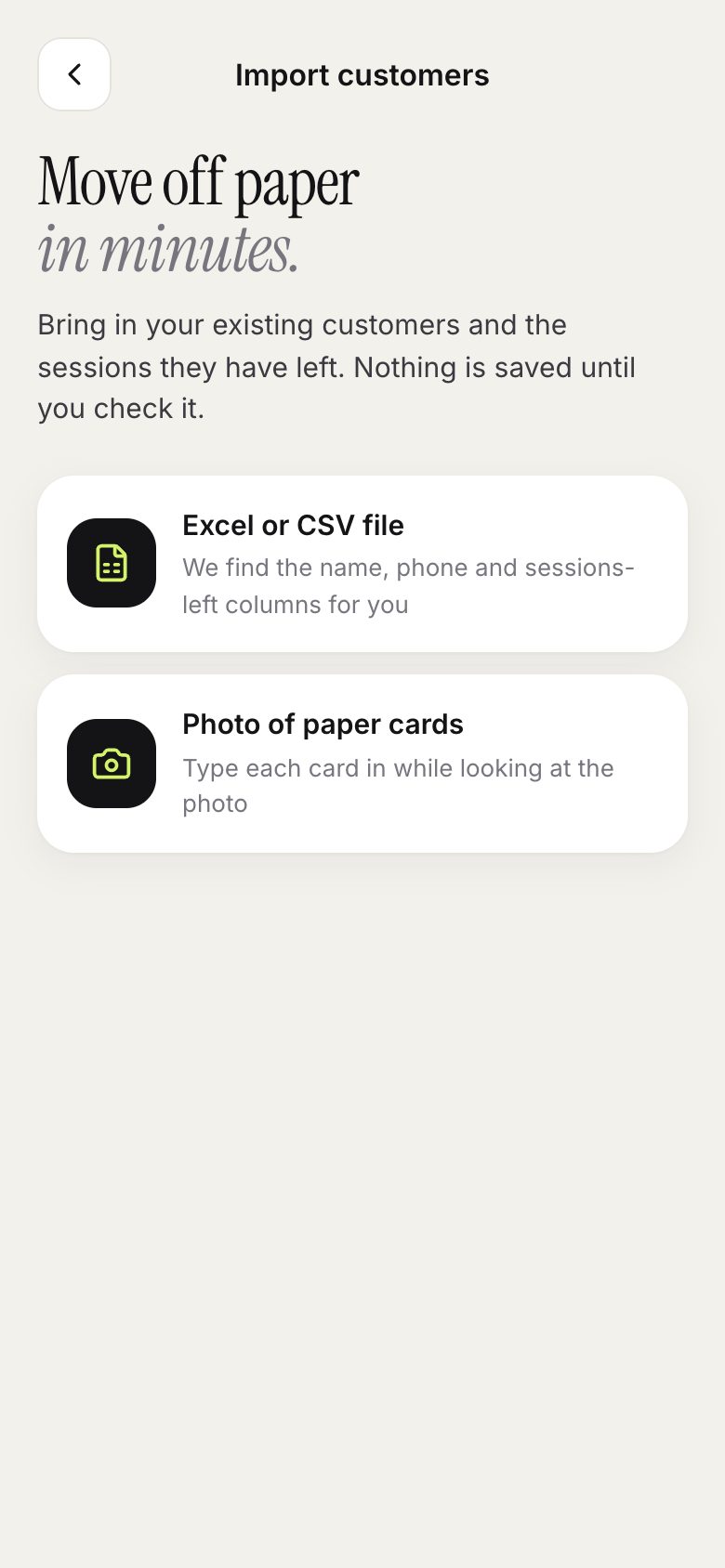
Choose Excel or CSV file, or Photo of paper cards.
-
2
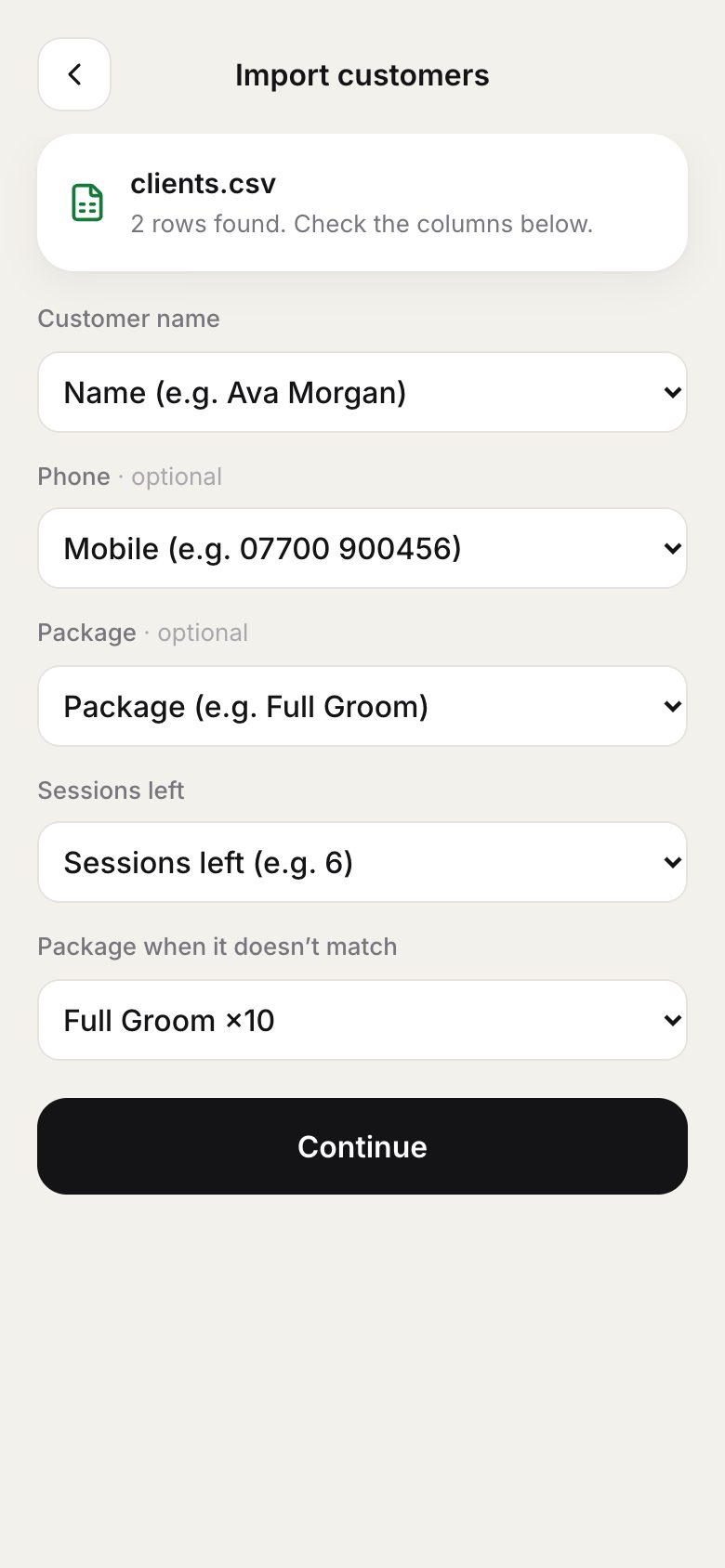
For a spreadsheet, we find the name, phone, package and sessions-left columns for you. Check them and continue.
-
3
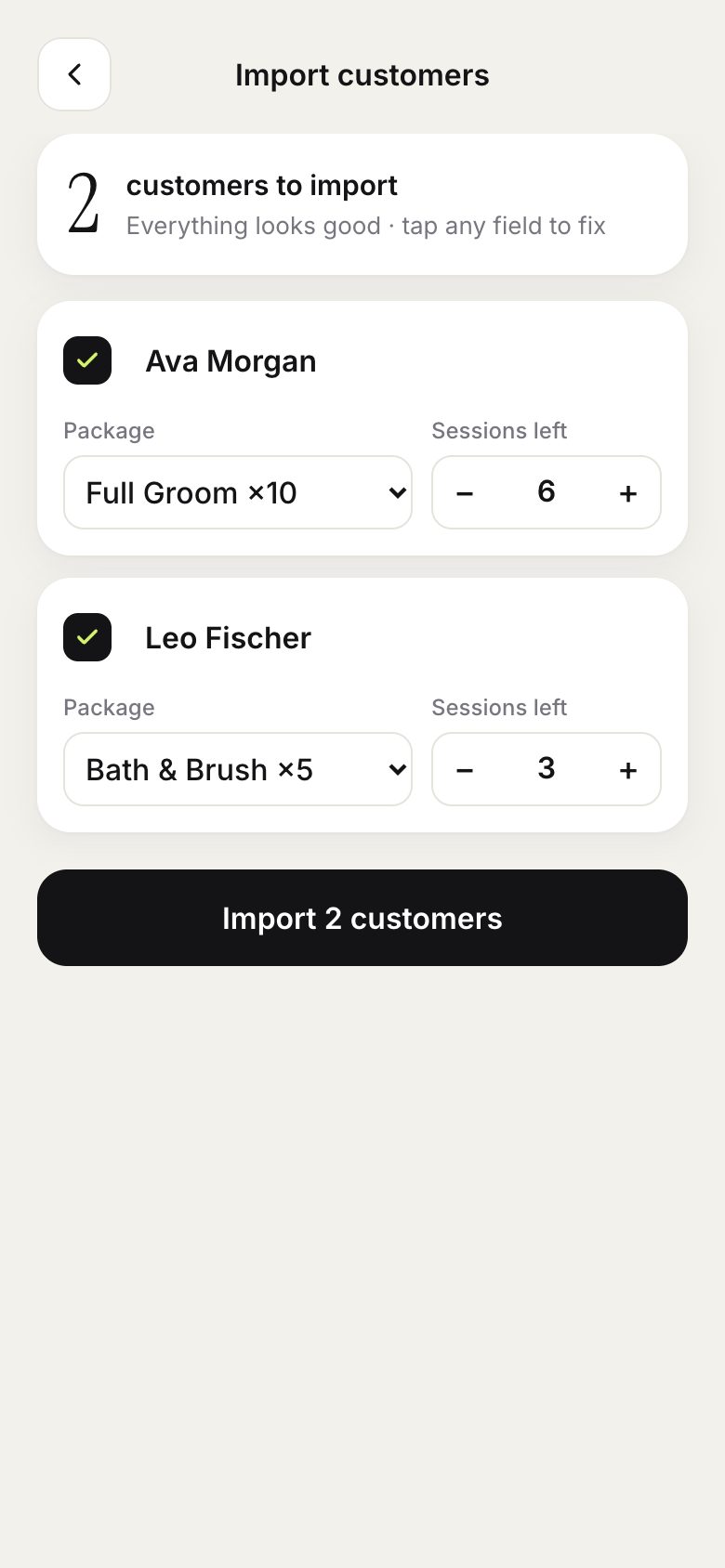
Review every row. Existing customers are matched, and problems are highlighted before you import.
-
4
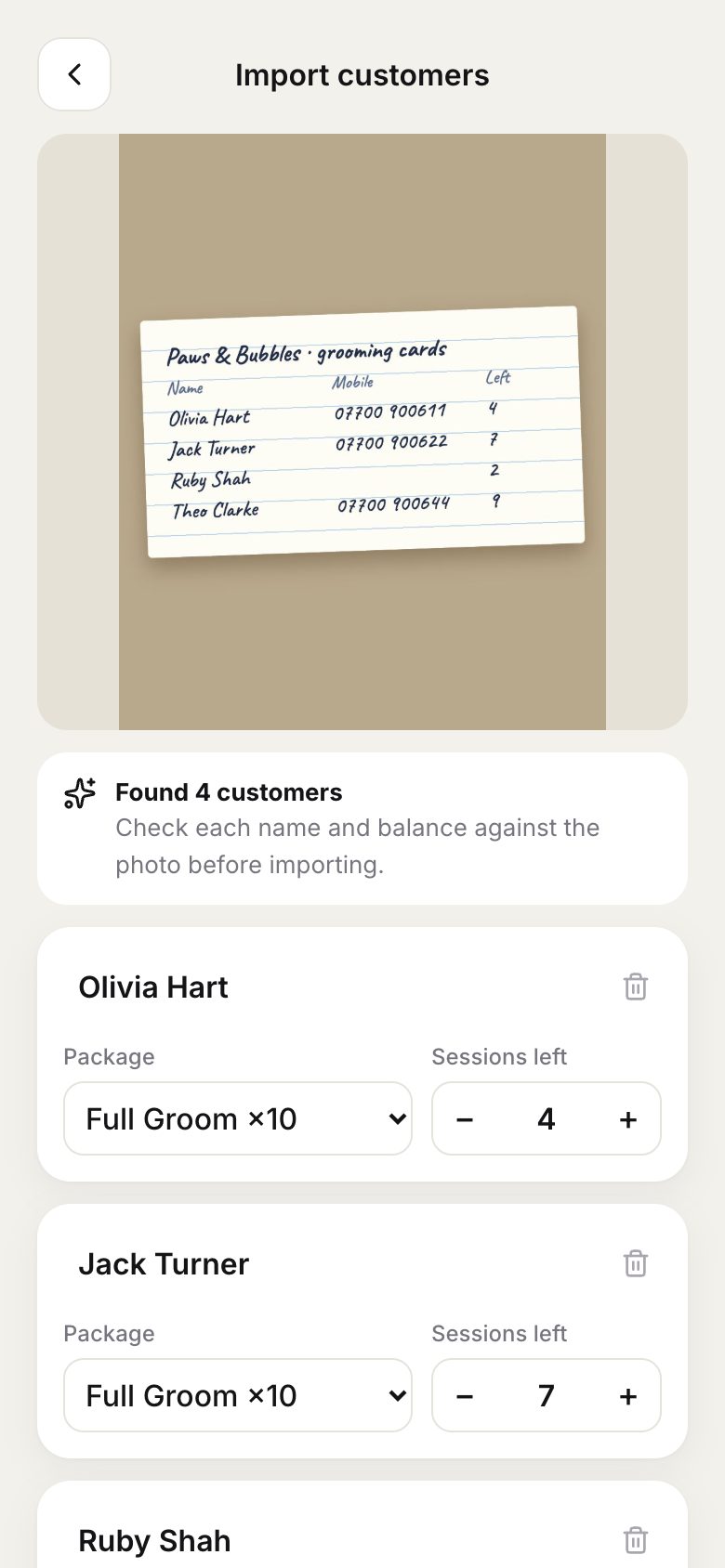
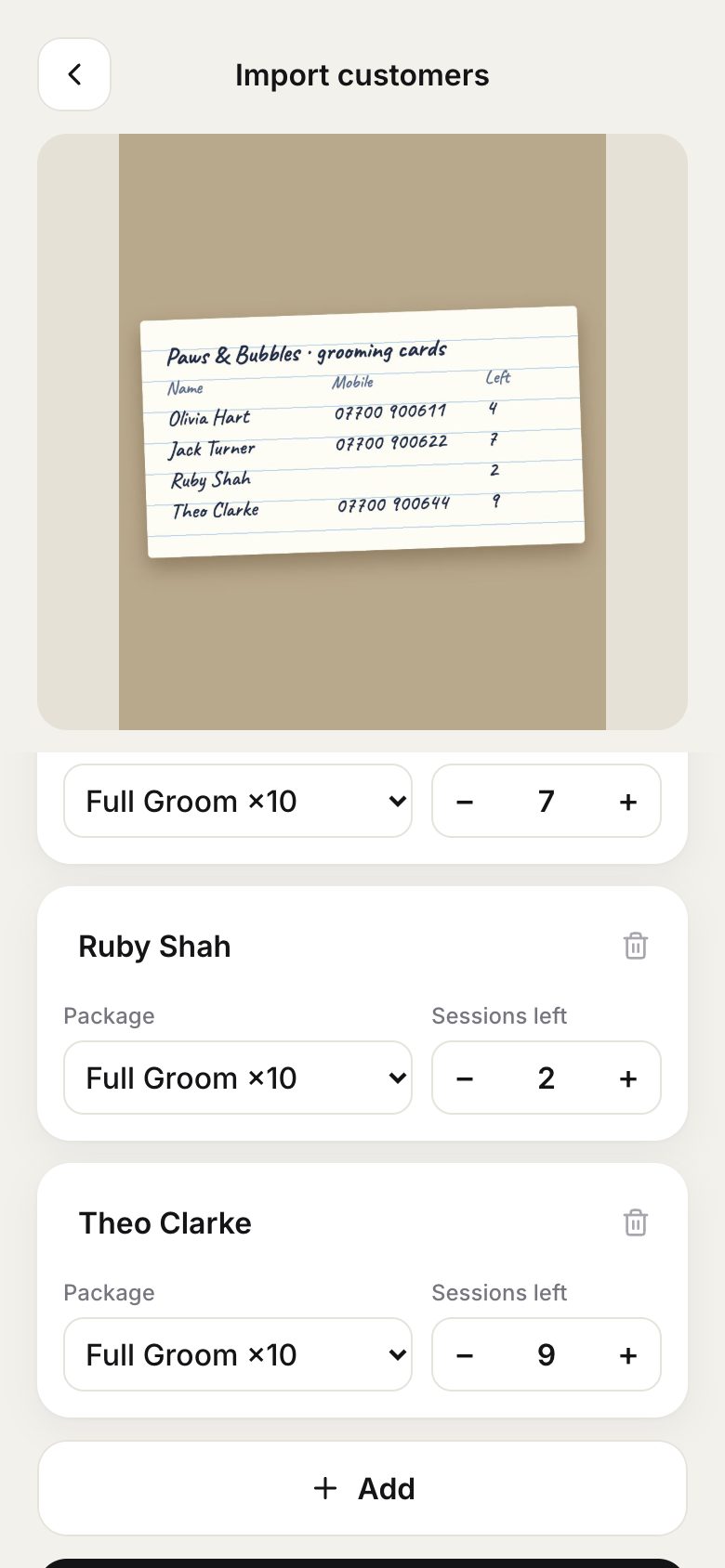
Or take a photo of your paper cards. On Pro, PassTally reads the names, phone numbers and sessions left for you.
-
5
Every row is filled in from the photo, which stays pinned at the top. Check each one, then review and import.
Good to know
- For paper cards, take a photo. On Pro, PassTally reads the names and balances for you (the photo is not stored); check each row against the photo, which stays pinned at the top.
- Create your package types first, so imported balances have something to belong to.
- Import is part of Pro. On a computer you can drag your file straight onto the page.